01
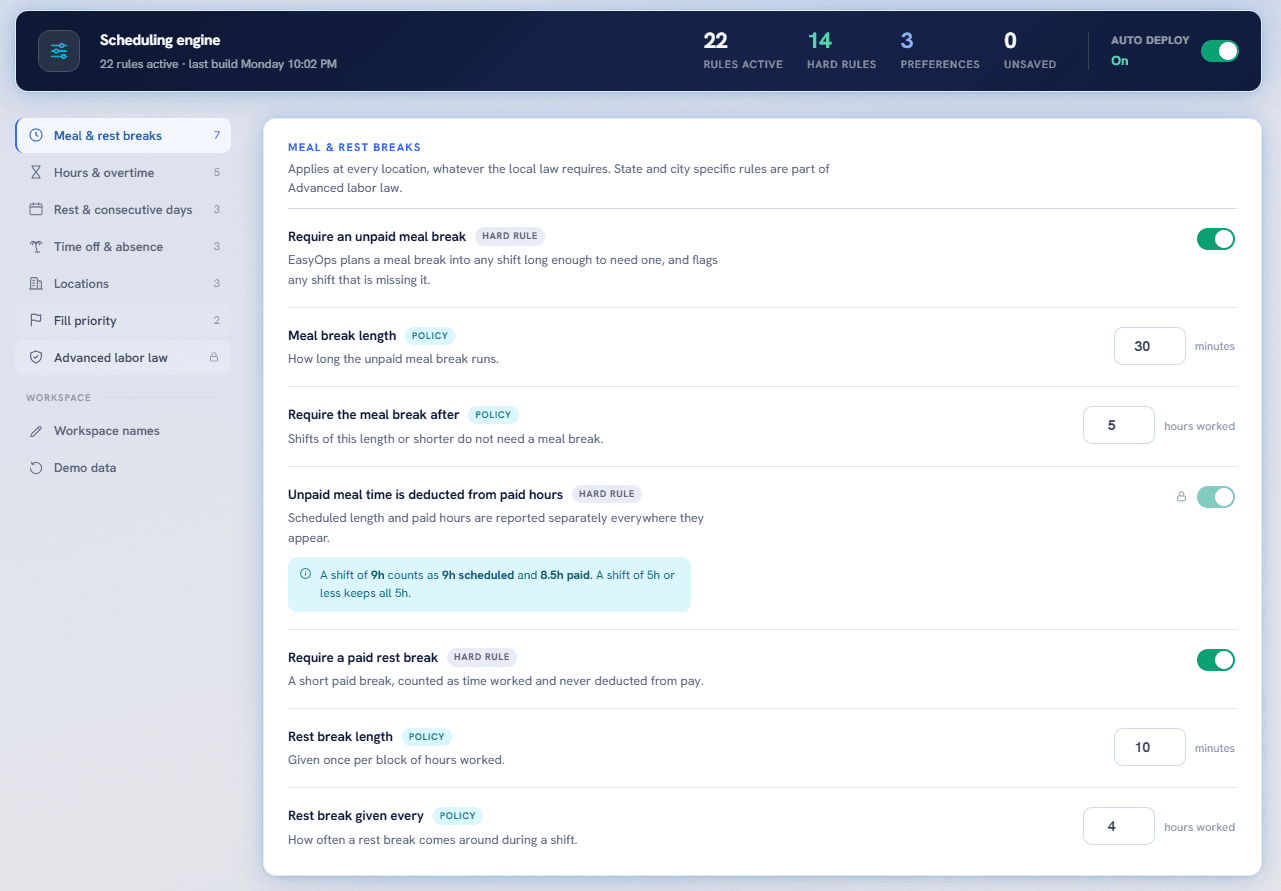
Scheduling rules with the policy built in
Coverage logic, breaks, overtime, locations, and labor rules stay visible and configurable in one scheduling engine.
 InverseDevs
Local HTML program version
Scheduling automation and a full employee HR management system, all operated locally. No monthly subscriptions. Pay once, own it forever.
Request accessTime back on the floor
Automated workforce scheduling and manager operations built around coverage, labor, employee needs, and the realities of running the floor.
Inside EasyOps
EasyOps brings scheduling, employee requests, manager actions, and labor reporting into one command center so leaders can spend less time assembling information and more time leading their teams.
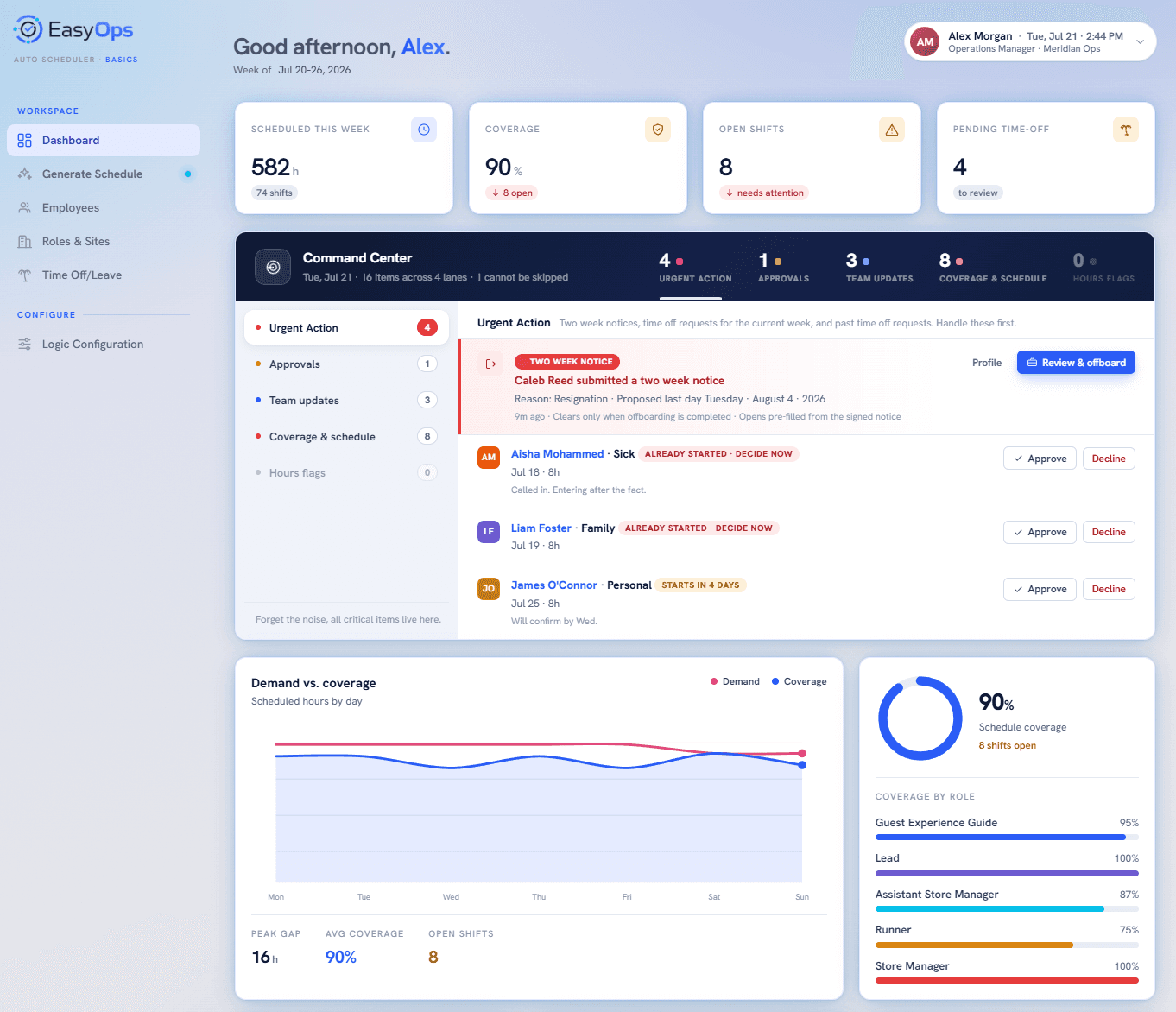
Command Center
Give managers the complete picture, with the priorities, people, coverage, and decisions that need attention now.
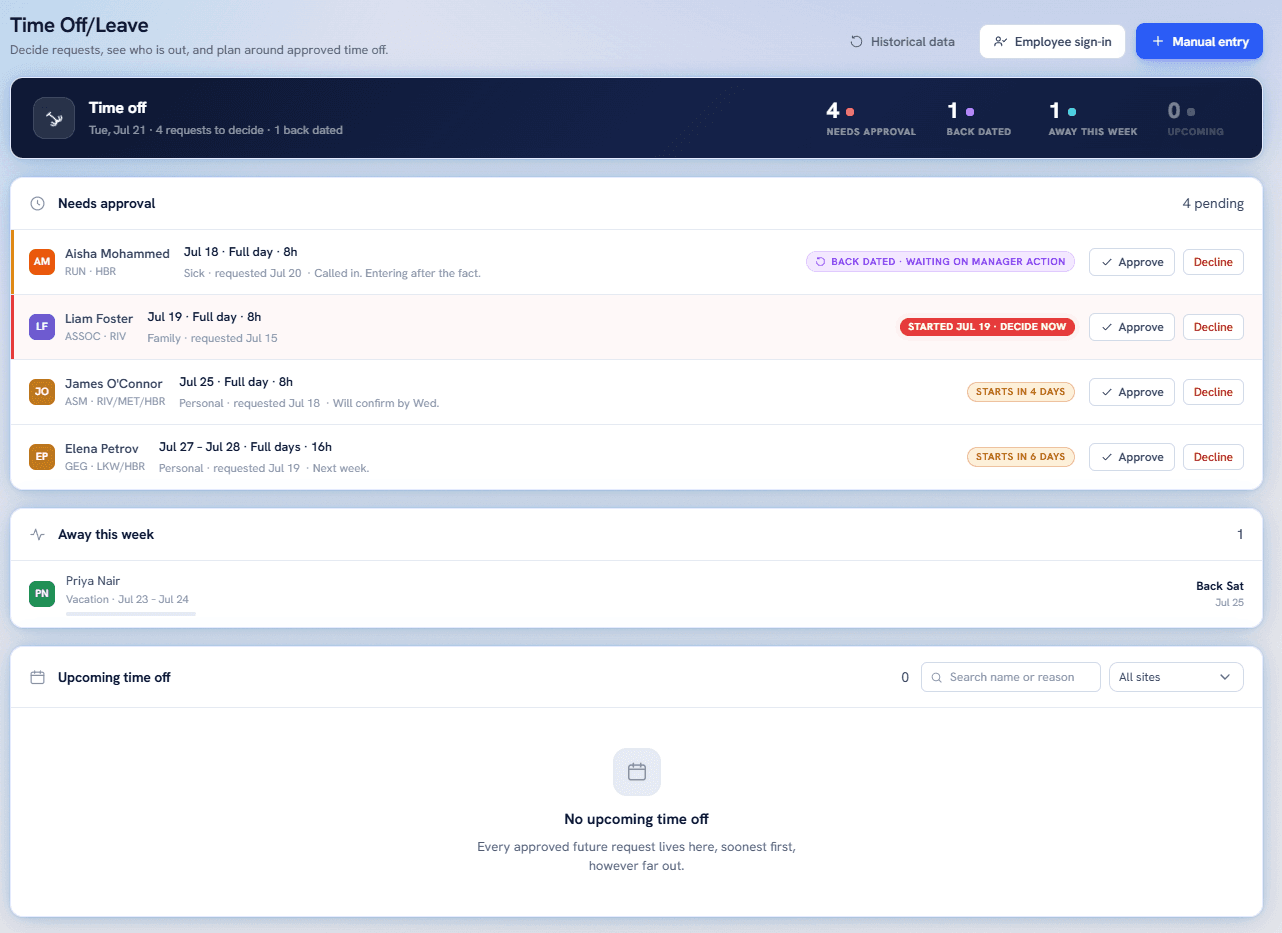
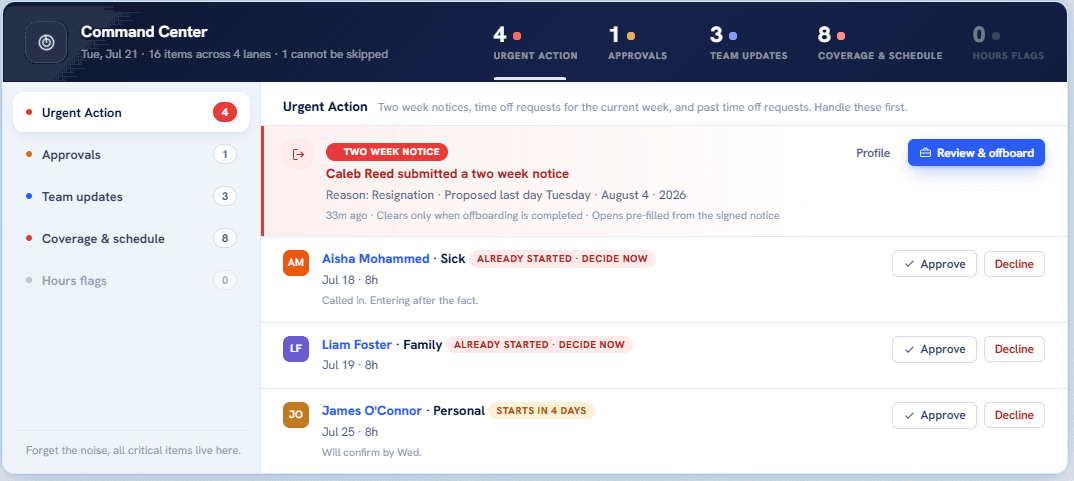
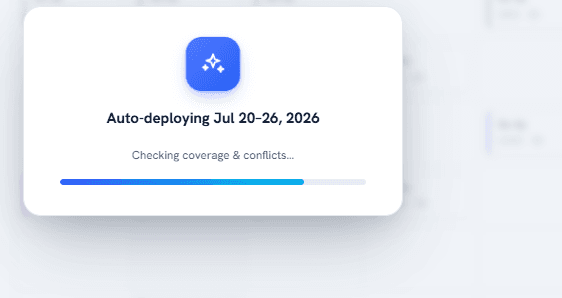
Automated scheduling logic handles the repetitive planning work while keeping coverage requirements, employee availability, roles, and operating constraints visible. Managers get a practical starting point faster and more time back on the floor.
Built for the full manager workflow
The schedule is only useful when the operating details around it remain clear. EasyOps keeps those decisions in the same system.
Coverage logic, breaks, overtime, locations, and labor rules stay visible and configurable in one scheduling engine.
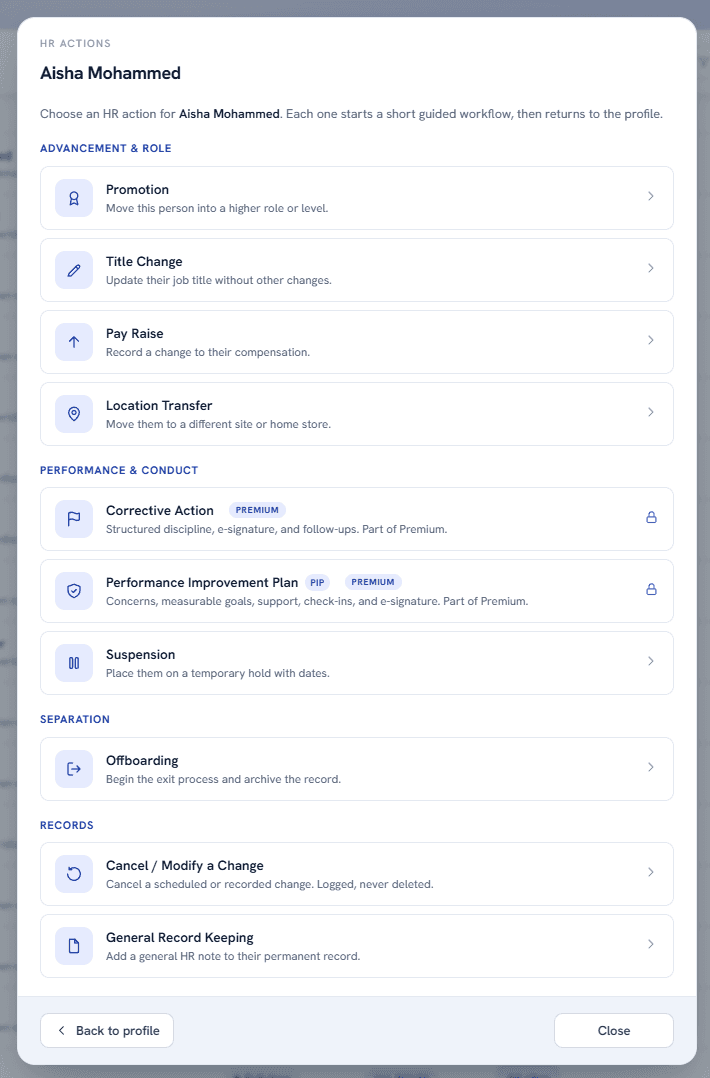
Managers can choose the right employee action and follow a structured path without losing the record or the next step.
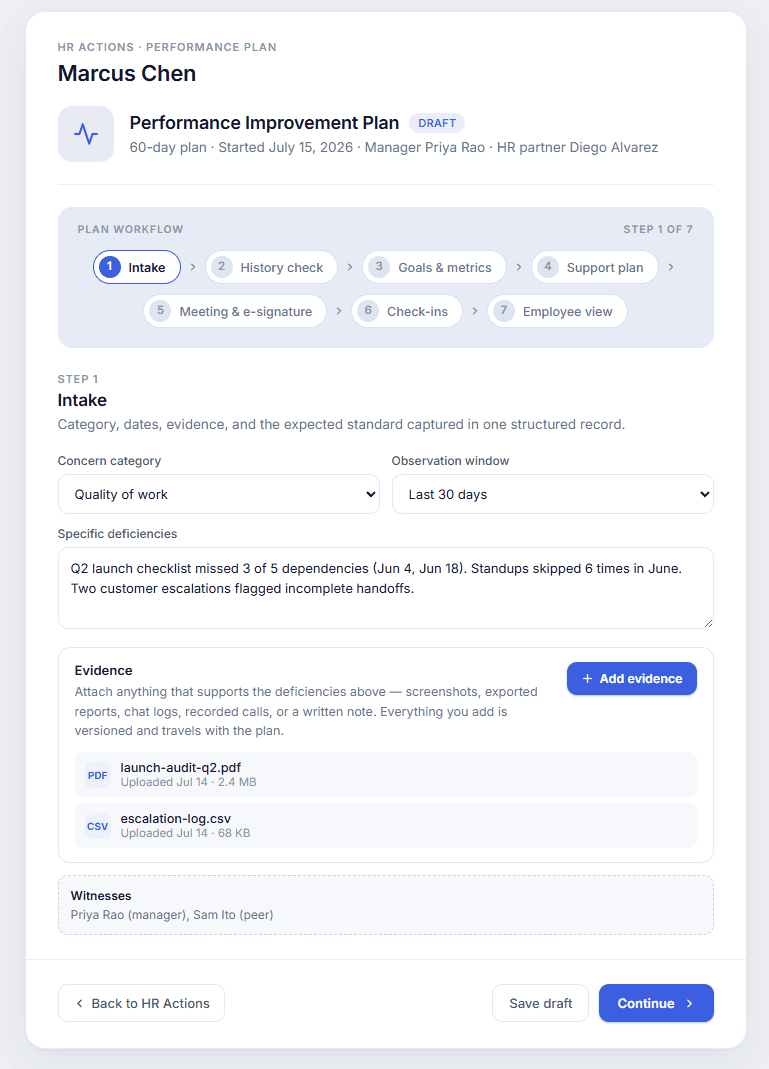
Evidence, goals, support, check-ins, witnesses, and signatures stay connected through a clear multi-step workflow.
The operating stack
Generate practical schedules around coverage, availability, roles, and operating constraints instead of rebuilding the week by hand.
Give authorized leaders access to the same operating workspace across management roles and locations.
Employees can view schedules, submit PTO requests, and track request status without repeated manager follow-up.
Create Performance Reviews, Performance Improvement Plans, and Corrective Actions with clear, actionable follow-up dates.
Review full payroll labor breakdowns with optional sales input for stronger labor analysis and operational planning.
Private access
Request access to discuss the local program, deployment fit, and ownership model.
Request access